> For the complete documentation index, see [llms.txt](https://docs.coinpilot.com/llms.txt). Markdown versions of documentation pages are available by appending `.md` to page URLs; this page is available as [Markdown](https://docs.coinpilot.com/account-and-security/unify-account.md).
# Unify Account
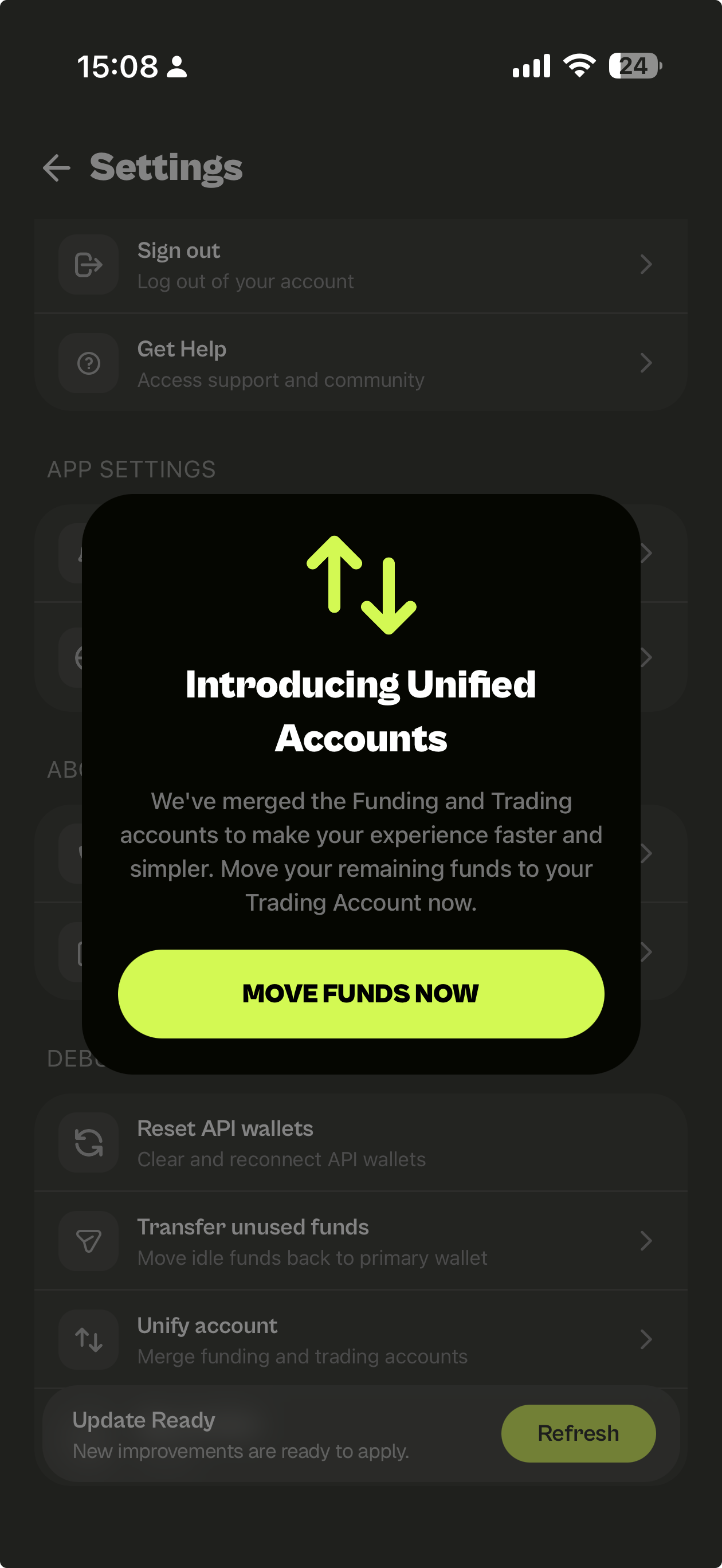
Previous Funding and Trading accounts have been merged into a single unified account to simplify your experience.
Previously, deposits were placed in a Funding Account and had to be manually transferred before trading.
Now, all funds are managed in one place, no manual transfers required.
### What You Need to Do \[Action needed]
If you still have funds in your old Funding Account, please move them to your Trading Account to complete the transition.
Go to:
1. **`Profile 👤`** → **`Settings ⚙️`** → **`Unify Account`**
2. Tap **`Move Funds Now`**
3. Check details and tap **`Confirm Transfer`** to finish the transfer.
{% hint style="info" %}
Your fund of USDC on Arbitrum from old Funding Account will be appearing in your Crypto Balance after transfer.
{% endhint %}